

Database Manager
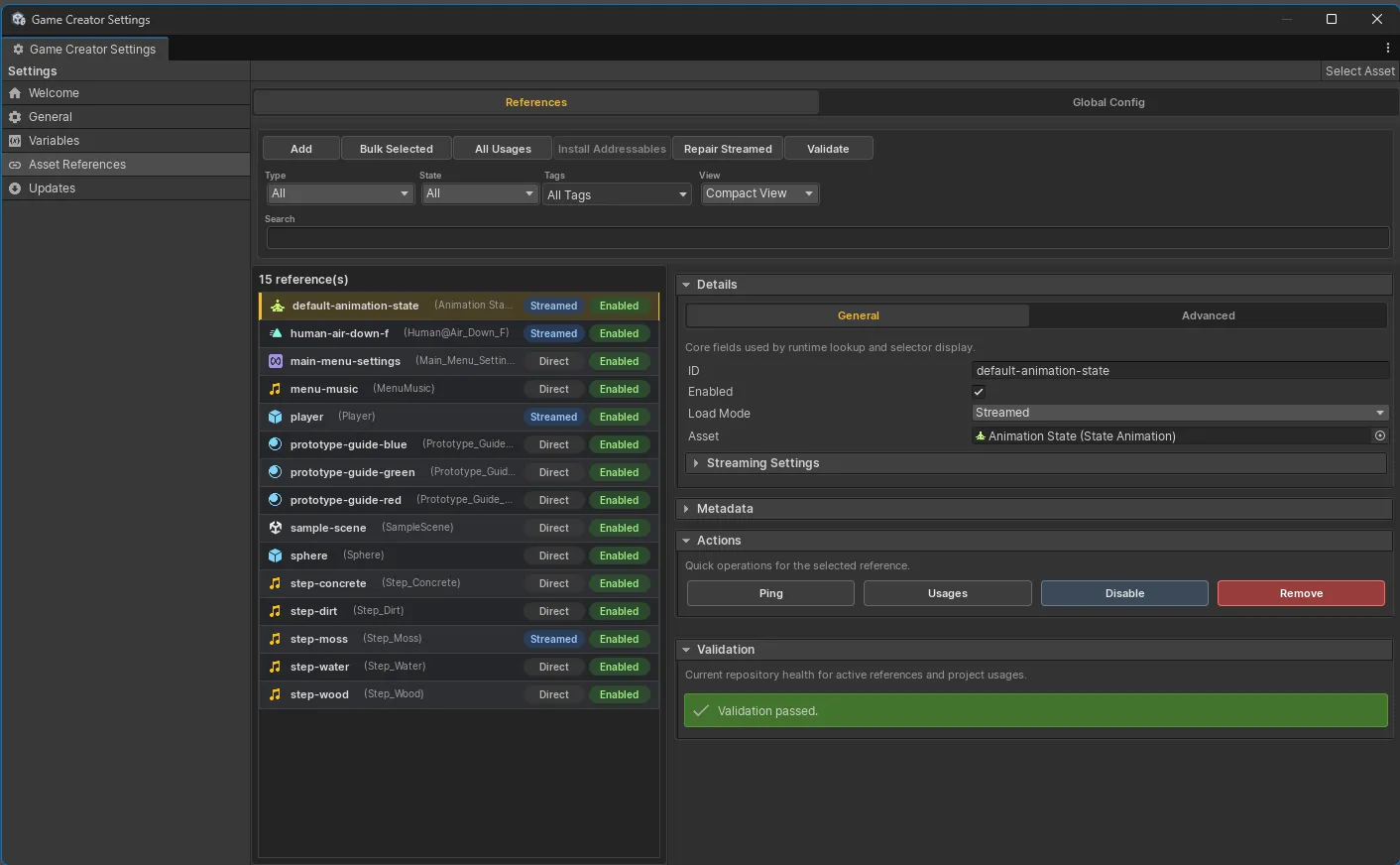
The Database Manager is the main surface for registering, organizing, validating, and inspecting Asset References.
Open the manager
Section titled “Open the manager”Open either:
Game Creator Settings > Asset ReferencesTools > Skyward Games > Asset References > DatabaseBoth locations use the same repository, so a change made in one appears in the other.
Interface overview
Section titled “Interface overview”| Area | Documented purpose |
|---|---|
| Toolbar | Add, bulk generate, inspect usages, install Addressables, repair Streamed entries, validate. |
| Filters | Filter by asset type, enabled state, load mode, tags, or search text. |
| Reference list | Browse type, category, tags, mode, and enabled state. |
| Details panel | Edit ID, asset, enabled state, load mode, metadata, streaming settings, and validation. |
| Runtime snippets | Copy Get<T> and TryGet<T> C# snippets for the selected entry. |
Global Config
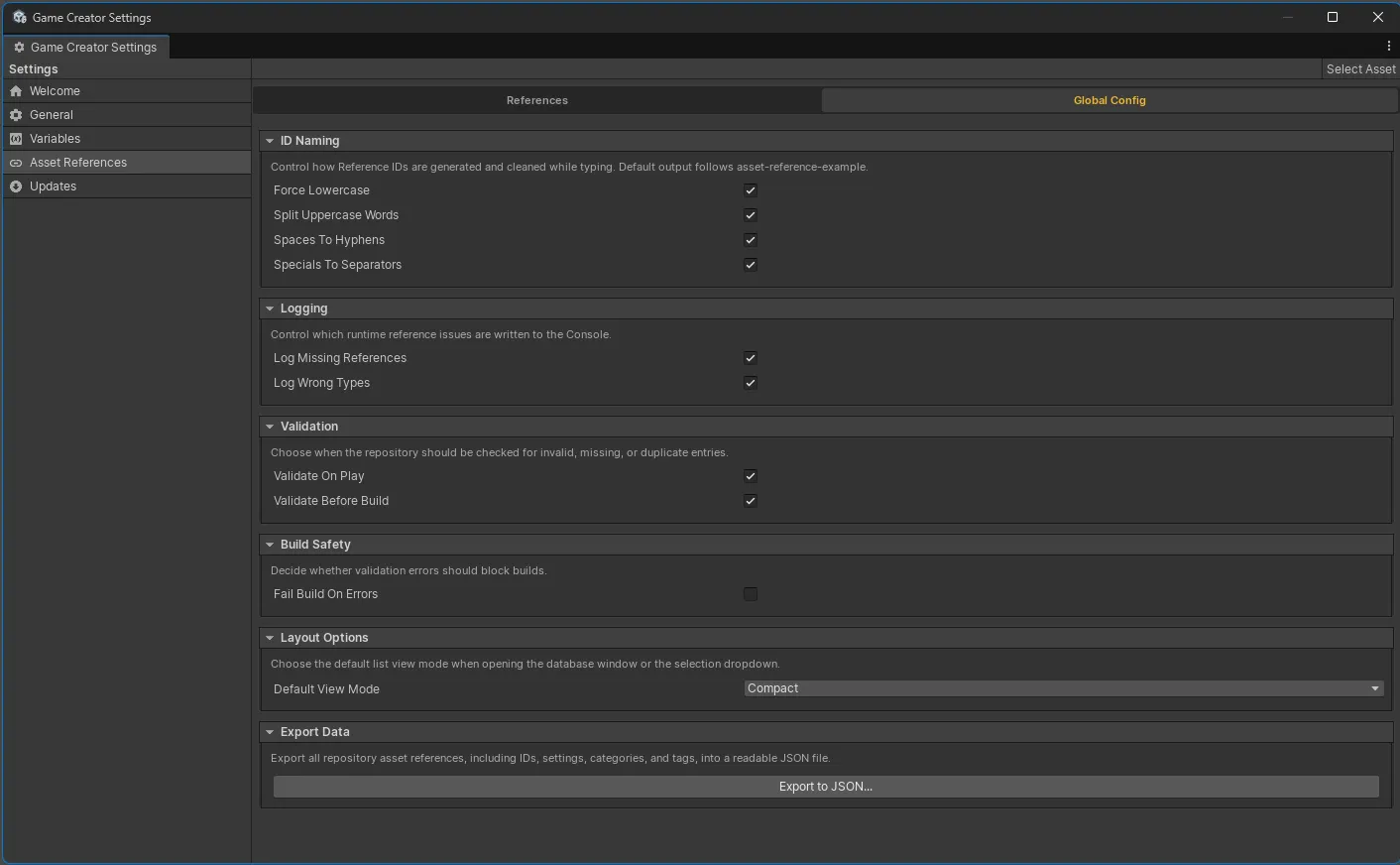
Section titled “Global Config”The Global Config tab holds package-wide defaults for ID naming cleanup, runtime logging,
validation timing, build safety, default list view, and JSON export.
Reference details
Section titled “Reference details”The General tab contains the ID, enabled state, load mode, and assigned asset. The Advanced tab contains organizational metadata, runtime snippets, entry actions, and validation.
See Reference Entries for each documented field.
Search and filters
Section titled “Search and filters”Use search for name or ID lookup, tags for workflow grouping, and type filters when a project has many registered assets. Type filtering also keeps Game Creator selectors focused on compatible entries.
Runtime debugger
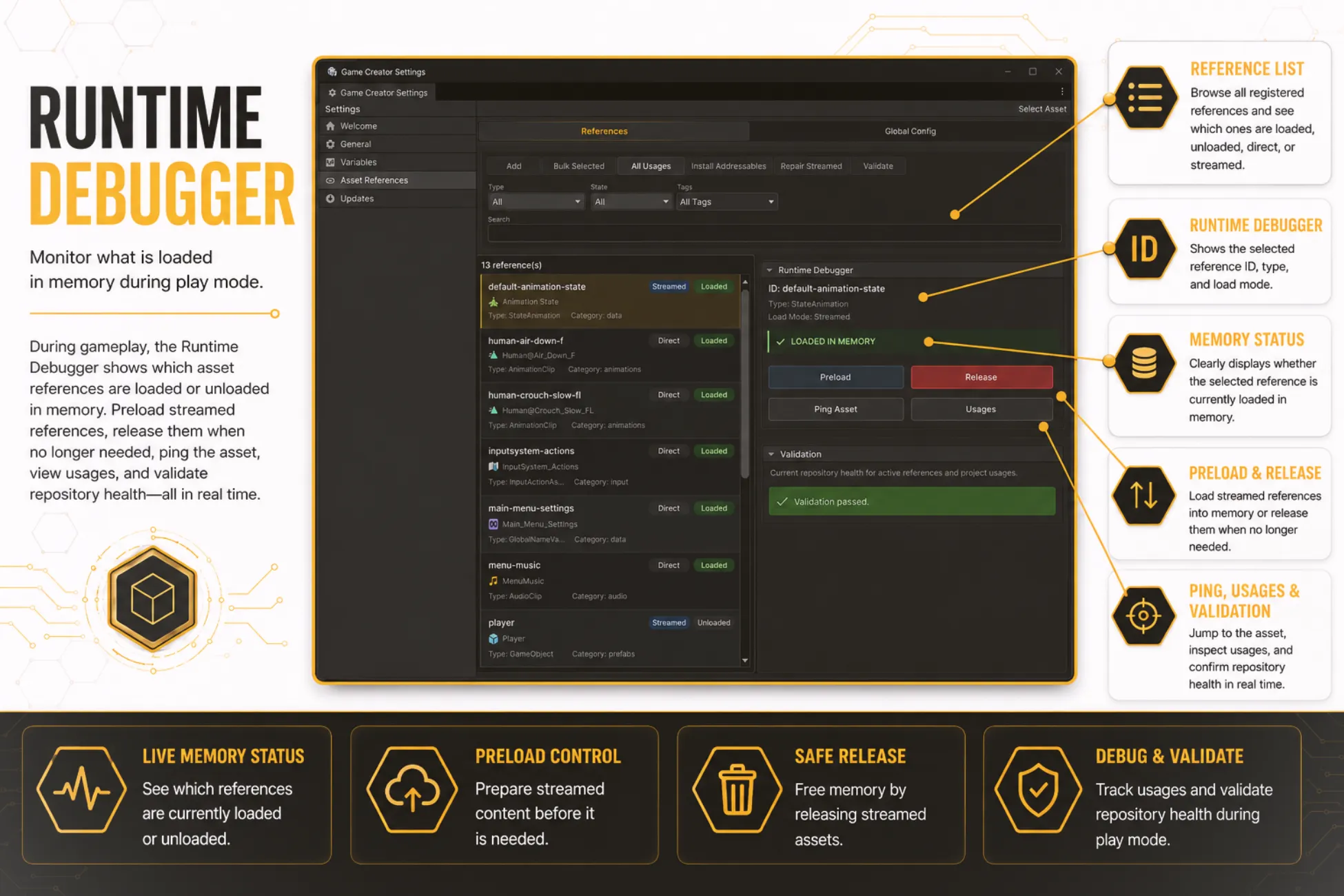
Section titled “Runtime debugger”During Play Mode, the database shows whether entries are Direct or Streamed and loaded or unloaded. For Streamed entries, it provides preload and release controls alongside Ping, Usages, and validation.
Related maintenance
Section titled “Related maintenance”- Register and Select covers entry creation and selectors.
- Validation and Usage explains routine health checks and deep scans.
- Streaming and Addressables explains synchronization and policies.