

Validation and Usage
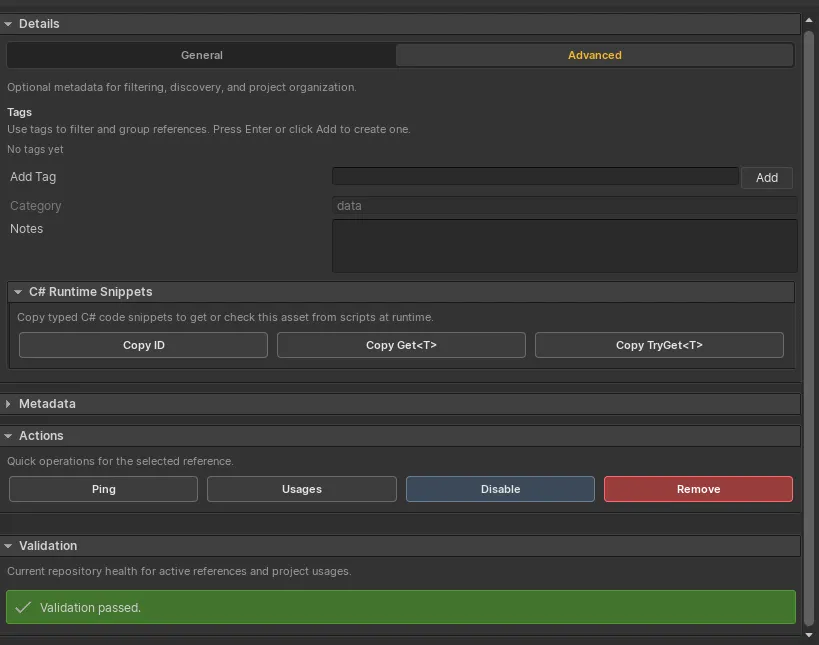
Validation checks repository health. Usage scanning performs a deeper search for serialized Reference IDs across project assets, scenes, and prefabs.
Routine validation
Section titled “Routine validation”Run Validate from the database toolbar or selected-entry panel. It checks for:
- empty or invalid IDs;
- duplicate enabled IDs;
- missing assets;
- scene object references instead of project assets or prefabs;
- type mismatches;
- disabled entries that affect runtime lookup;
- Streamed metadata status; and
- Addressables availability for Streamed entries.
Some validation rows are documented with quick-fix actions.
Usage audit
Section titled “Usage audit”Use All Usages or the selected entry’s Usages action to scan serialized project content for
AssetReferenceId fields.
Usage scanning is intentionally separate from routine validation. Run it when:
- renaming an ID;
- removing or disabling an entry;
- checking whether a reference is still used; or
- preparing a release build after broad content changes.
Rename support
Section titled “Rename support”Static string ID usages can be found and updated during rename workflows. Dynamic Game Creator string-property sources are valid runtime inputs, but their eventual value cannot be treated as a statically renameable database ID.
Validation cadence
Section titled “Validation cadence”Run validation after asset moves, bulk generation, Addressables changes, example or package imports, large renames, and deletions. Global Config also provides validation-on-play and validation-before-build options.