Actions
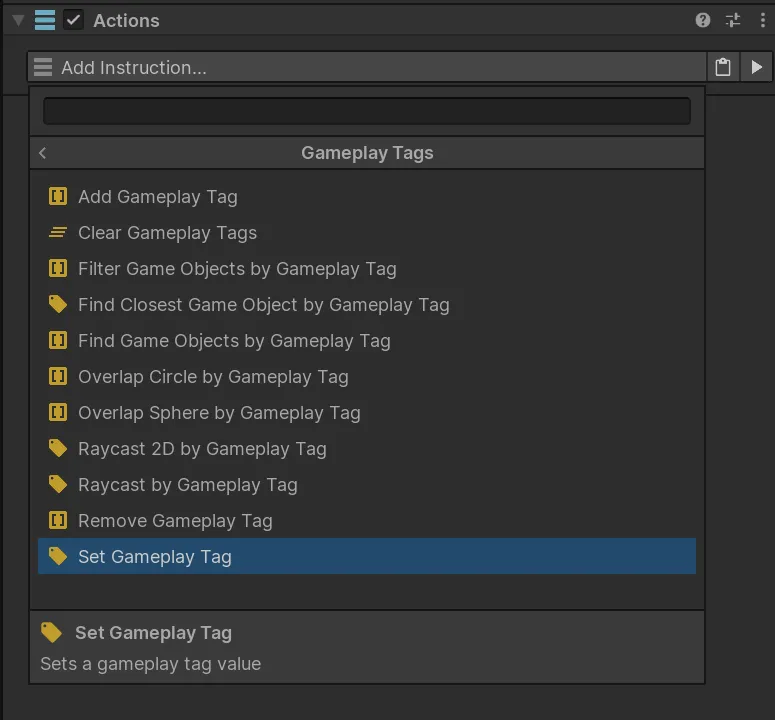
Gameplay Tags Actions set values, mutate containers, search active tagged objects, filter lists, and combine physics queries with gameplay classifications.
Tag mutation
Section titled “Tag mutation”| Action | Purpose |
|---|---|
| Set Gameplay Tag | Write one tag value to a compatible destination. |
| Add Gameplay Tag | Add a tag to a container or component. |
| Remove Gameplay Tag | Remove a tag from a container or component. |
| Clear Gameplay Tags | Empty a container. |
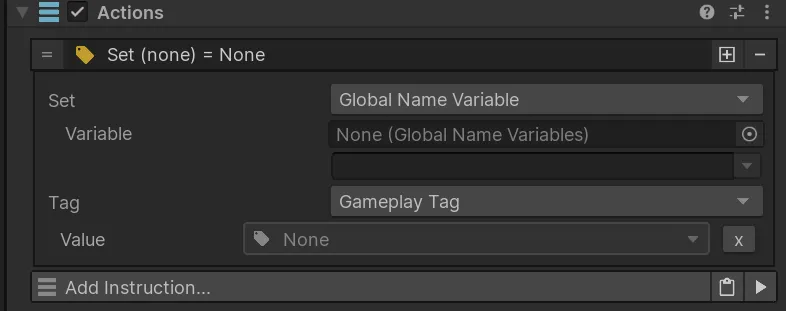
For a temporary state:
- Add
Character.State.Stunnedwhen the effect starts. - Let Conditions and other systems query the same tag.
- Remove it when the effect ends.
Exclusive-group Actions
Section titled “Exclusive-group Actions”The documented 1.0.0 integration includes:
- Set Exclusive Gameplay Tag to retain one tag under a selected parent;
- Set Parent Group Gameplay Tag to replace the active child in a parent group;
- Cycle Sibling Gameplay Tag to move between sibling choices; and
- Clear Parent Group Gameplay Tags to remove tags beneath a selected parent.
These Actions are useful for categories such as quest state where sibling tags should be mutually exclusive.
Object queries
Section titled “Object queries”| Action | Result |
|---|---|
| Find Game Objects by Gameplay Tag | Fill a List Variable with active matches. |
| Find Closest Game Object by Gameplay Tag | Store the closest active match from an origin. |
| Filter Game Objects by Gameplay Tag | Keep matching objects in an existing List Variable. |
| Raycast by Gameplay Tag | Store the first matching 3D ray hit and optional hit data. |
| Raycast 2D by Gameplay Tag | Store the first matching 2D ray hit and optional hit data. |
| Overlap Sphere by Gameplay Tag | Fill a list from matching 3D overlap results. |
| Overlap Circle by Gameplay Tag | Fill a list from matching 2D overlap results. |
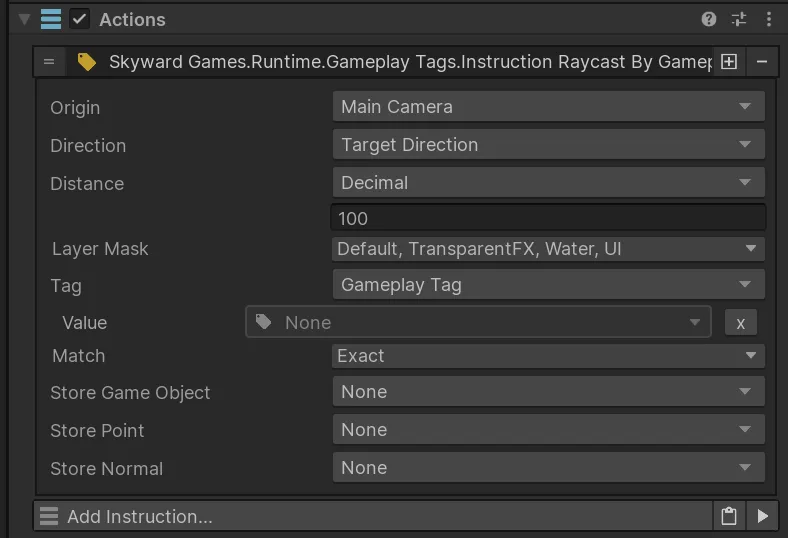
Use Unity layers for broad physics filtering and Gameplay Tags for gameplay meaning.
Examples
Section titled “Examples”Find active enemies:
Tag: Faction.EnemyMode: ExactResult: List VariableFind the nearest usable object:
Tag: Interaction.UsableMode: Include ChildrenOrigin: PlayerFind enemies inside an explosion:
Overlap: SphereTag: Faction.EnemyMode: Exact