

Tag Manager
The Gameplay Tags settings page manages the project’s central tag repository.
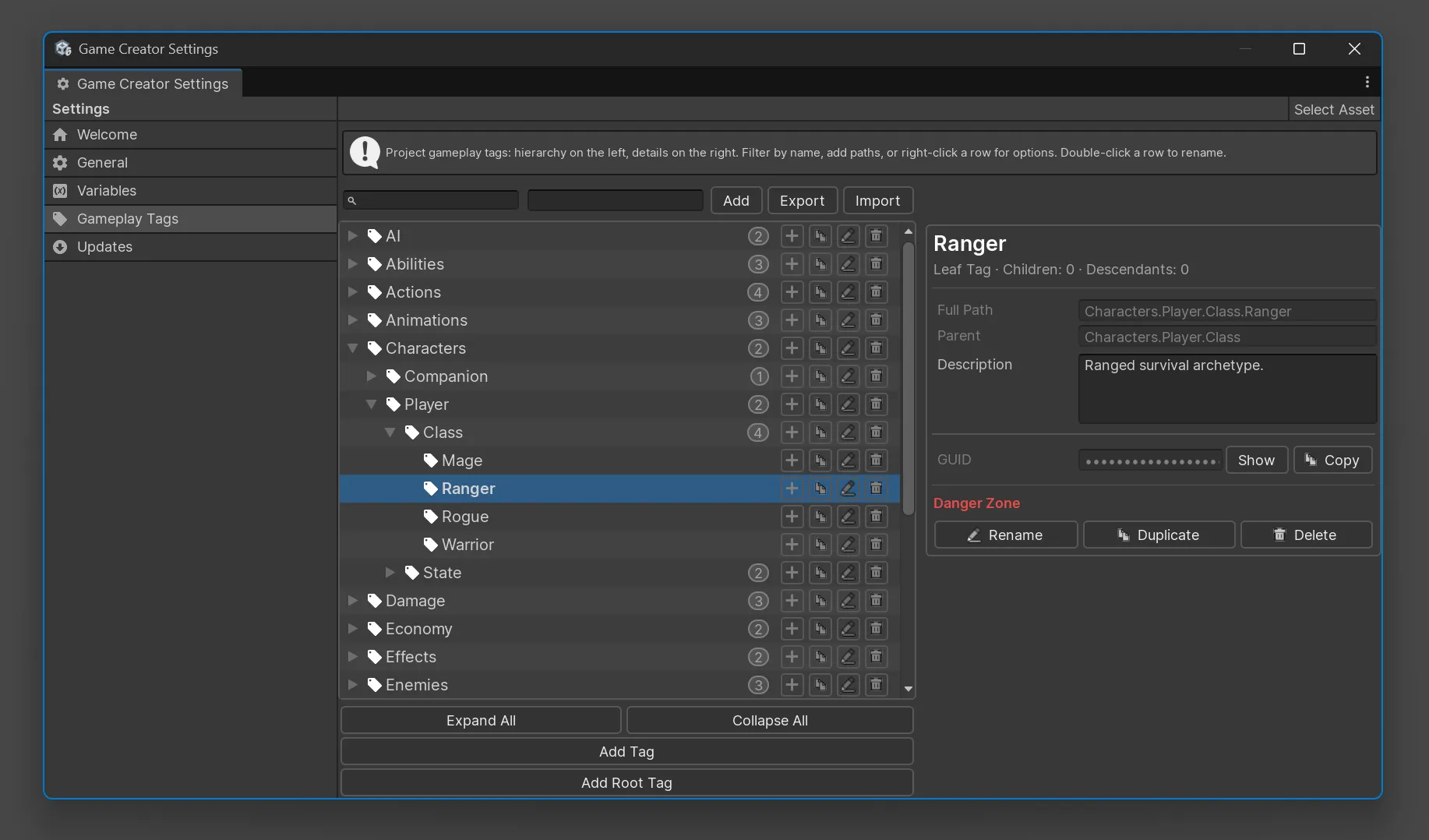
Interface
Section titled “Interface”| Area | Purpose |
|---|---|
| Hierarchy | Browse, search, create, rename, delete, duplicate, and reorganize tags. |
| Details | Inspect a selected path, edit its description, copy its GUID, and run tag actions. |
Selecting a tag shows its full path, parent, description, GUID, and hierarchy counts. Add descriptions when a tag is shared by several systems or designers.
Create and find tags
Section titled “Create and find tags”Start with a small set of broad roots, then add children when the project needs them:
CharacterDamageFactionInteractionItemQuestWorldSearch accepts full or partial paths such as Fire, Quest.Main, or Interaction.Usable.
Keyboard shortcuts documented by the legacy manager include:
| Shortcut | Action |
|---|---|
F2 or Enter |
Rename the selected tag. |
Delete or Backspace |
Delete the selected tag. |
Ctrl+C or Cmd+C |
Copy the selected path. |
| Left Arrow | Collapse the selected tag or move to its parent. |
| Right Arrow | Expand the selected tag. |
Row actions
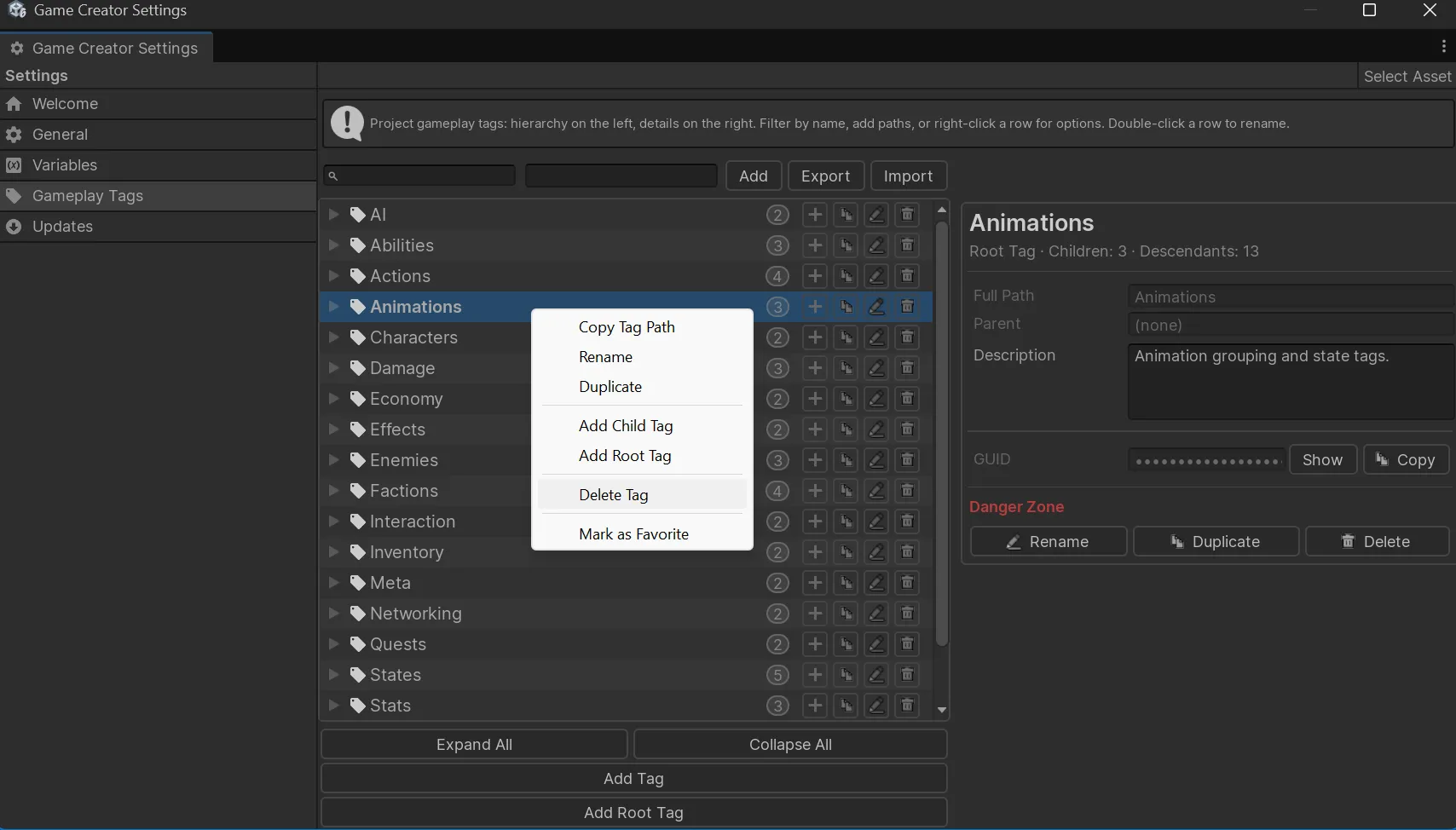
Section titled “Row actions”Right-click a row for common actions, including adding a child or root tag, renaming, deleting, copying the path, and duplicating.
Rename and reparent
Section titled “Rename and reparent”Renaming or reparenting a parent changes the paths of its descendants. The implementation preserves tag GUIDs and creates redirects from old paths to new paths for the affected subtree.
For example:
Damage.Element.Firecan become:
Damage.Type.FireDelete tags
Section titled “Delete tags”Deleting a tag removes it and its descendants from the repository after confirmation.
Import and export
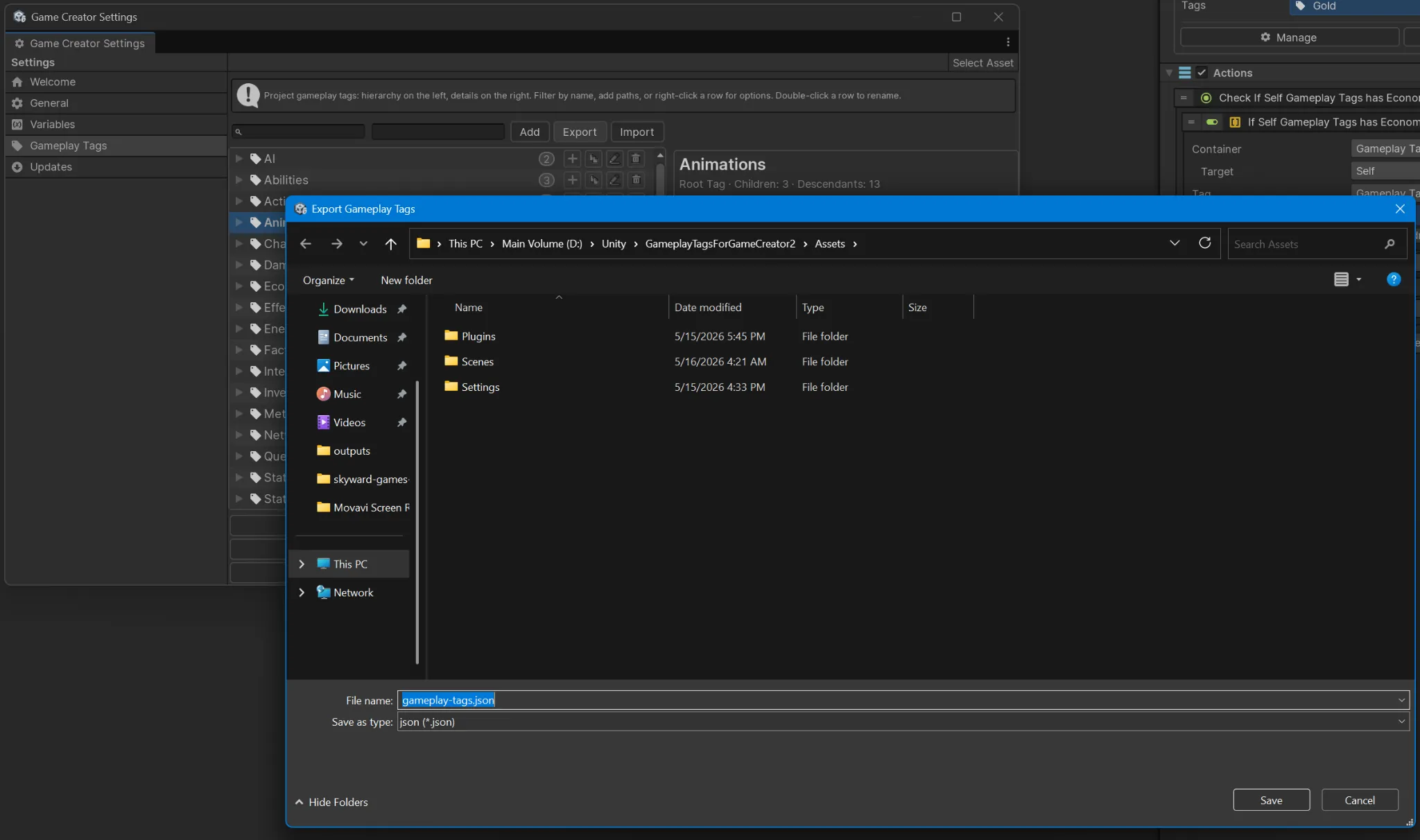
Section titled “Import and export”Export before large changes or when sharing a repository between projects. JSON import supports:
| Mode | Behavior |
|---|---|
| Merge | Retain existing tags while updating or adding imported entries. |
| Replace | Clear existing tags and redirects before loading the imported file. |
Validation
Section titled “Validation”Repository validation reports:
- invalid paths;
- duplicate paths;
- redirects whose targets no longer exist; and
- redirect cycles.
Run validation after imports, large renames, or repository cleanup.
Naming guidance
Section titled “Naming guidance”- Start broad and become more specific.
- Keep segments short, singular, and meaningful.
- Use the same segment names consistently.
- Avoid spaces, punctuation, temporary labels, and numbers used as values.
- Design parent categories where broad queries will be useful.